By using this website, you agree to our use of cookies (needed to provide our website’s features) and our Terms of Use.
By: Andrew Forrest - March 2026
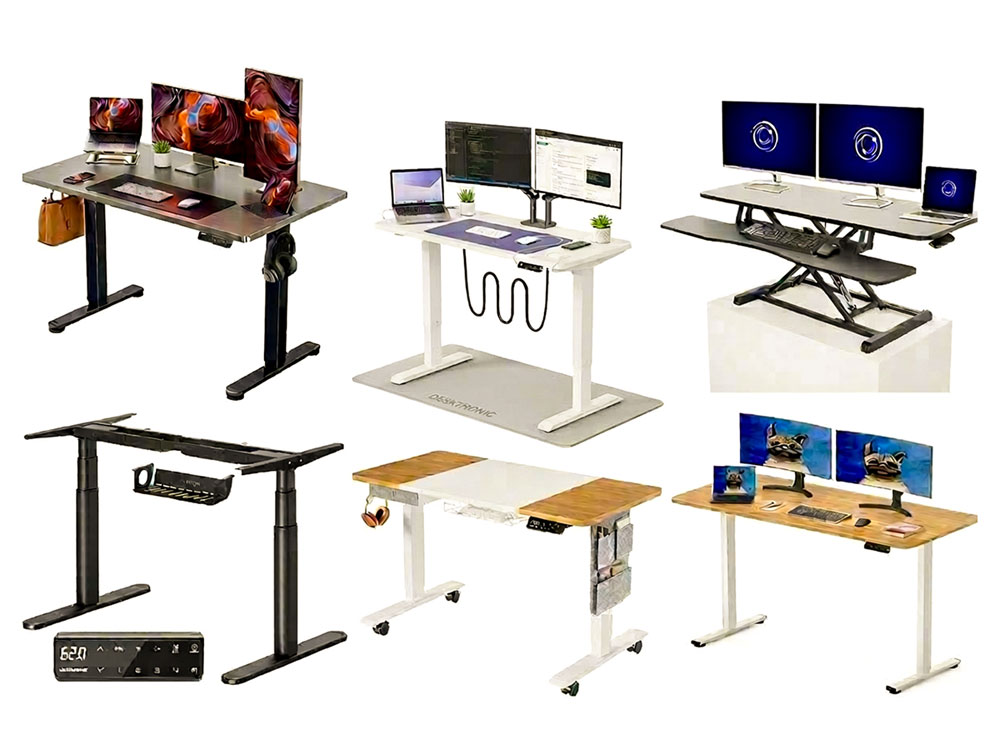
Discover the best standing desks in the UK for 2026. Our expert reviews cover top-rated electric and manual desks, compatibility with walking pads, and ergonomic setup tips to boost productivity and reduce back pain.
The modern workspace has moved beyond the era of the 'static chair'. In 2026, the home office is a dynamic environment where health, technology, and productivity come together. Standing desks, also known as sit-stand or height-adjustable desks, are no longer just luxury items; they are essential tools for anyone who spends considerable time at a computer.
This page contains affiliate links. As an Amazon Associate, we earn from qualifying Amazon purchases at no additional cost to you. We may also earn commissions from other retailers, again at no additional cost to you.
Health & Wellness Disclaimer
This article provides general information and education only and is not medical advice. Standing desks may help reduce prolonged sitting, but standing for long periods can also cause discomfort and may not be suitable for everyone. If you have a medical condition (including circulatory issues, back or neck injuries, joint problems, pregnancy, or a history of DVT or varicose veins), consult a qualified healthcare professional (such as your GP) before making significant changes to your daily sitting, standing, or walking routine or starting a new exercise programme. Always start gradually, alternate positions regularly, stop if you experience pain, dizziness, numbness, or swelling, and ensure your setup is comfortable and ergonomic.
By enabling you to switch easily between sitting and standing at the press of a button, these desks tackle the physical 'lock-in' of sedentary work, which has been linked to various musculoskeletal and metabolic issues.[3] [5] [6] [12] [13] [15]
What can a standing desk do for you? Beyond simply raising your monitor, a high-quality model provides a stable, motorised platform that can boost your circulation, improve mental focus, and significantly reduce chronic neck and back pain.[2] [9] [13] [15] [16] [19] [30]

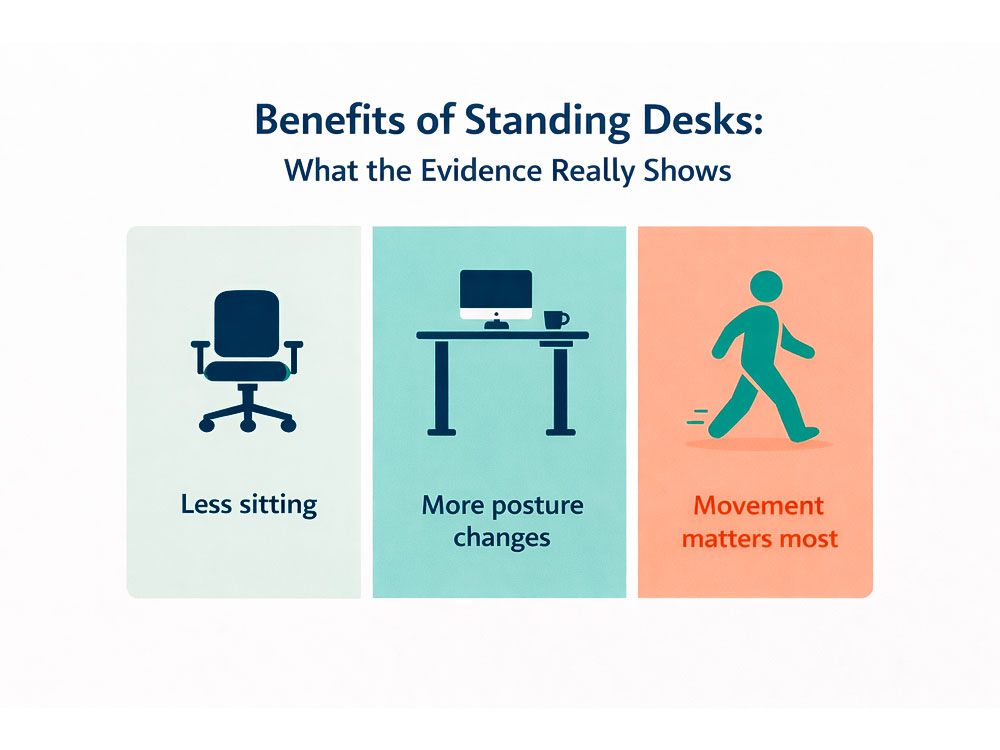
Research published in the British Medical Journal found that multicomponent workplace interventions, including sit-stand desks, significantly reduced time spent sitting at work and increased employee engagement. Furthermore, recent clinical trials emphasise that alternating posture helps maintain energy levels throughout the day, preventing the dreaded mid-afternoon slump.[1] [2] [13] [30]
| Category | Product | Type | Desktop sizes / frame fit | Height range | Load capacity | Motors | Noise (claim) |
| Best overall standing desk | Desktronic HomePro | Electric desk | One-piece top options: 120×60, 140×70, 160×80, 180×80, 200×80 cm | 63-128 cm | 160 kg | Dual motor | <39 dB |
| Best frame-only standing desk | MAIDeSITe TH2 Pro Plus Art | Electric frame-only | Suitable for desktops 100-220 cm long × 60-100 cm deep | 62-127 cm | 180 kg | Dual motor | <45 dB |
| Best budget standing desk | ErGear Electric Desk | Electric desk | 100×60, 120×60, 140×70, 160×80 cm | 72-118 cm | 80 kg | Single motor | ≤55 dB |
| Best converter standing desk | VIVO K Series Height Adjustable Sit-Stand Desk Converter | Manual converter | Work surface widths: 65, 71, 81, 91, 107, 122 cm; 40 cm depth | 11.4-50.8 cm (above desk) | 15 kg desktop / 2 kg keyboard tray | N/A | N/A |
| Best budget standing desk with storage | MAIDeSITe Electric Desk | Electric desk | 100×60, 120×60, 140×70 cm | 72-120 cm | 80 kg | Single motor | Not stated |
| Best budget 'one-piece' standing desk | SANODESK One-Piece Top | Electric desk | 100×60, 120×60, 140×80, 160×80 cm | 75-110 cm | 40 kg | Single motor | Not stated |
At Walks4all, we have evaluated various standing desks, rating them on stability, comfort and ease of use, build quality and durability, value for money, and safety features.
 |
 |
The Desktronic HomePro is the top choice for anyone seeking a balance of industrial strength and modern convenience. It features a robust, sturdy dual-motor, 3-stage-legs desk available in various sizes and desktop colour options.


Specifications:
Pros:
Cons:
Description:
Desktronic claims their synchronised dual-motor system is engineered for 'extreme precision' and can handle heavy monitor setups without any strain. For me, the HomePro certainly lived up to these claims, feeling notably more premium than its mid-range price suggests. The controller features a refined touchscreen with integrated USB and USB-C charging ports, a feature often reserved for more expensive desks.
For me, it had a rock-solid feel at standing height and felt very stable while typing, even when using my walking pad. The lateral sway is almost non-existent compared to some of the budget single-motor models tested, thanks to its heavy-duty steel frame, double crossbar, and stablewedge reinforcement brackets attached to the legs. The dual motor raised the desk quickly and quietly. The only desks that felt slightly more stable at higher heights were the MAIDeSITe Pro standing desks, which are reviewed below.
I like how quickly you can get into a routine: I set a sitting height, a standing height, and a walking height, and afterwards, it becomes second nature to switch modes rather than remaining stuck in one position all day. When I'm walking slowly, it feels stable enough that I don't end up bracing on the edge of the desk, which is a big deal for comfort during longer sessions.
The 160×80cm single-piece desk I tested comfortably fitted my two monitors, laptop, docking station, mouse, and other accessories. The three-stage legs offer a wide height adjustment range (63cm - 128cm), making it one of the most versatile desks on the market, suiting people who are short, tall, and all those in between. For me, if you're after a sturdy, mid-priced standing desk with dual motors and preset heights, this is hard to beat.
Desktronic also provides a very similar, more affordable option: the HomeOne standing desk. The main differences are a less powerful motor, a maximum load of 120 kg, and a height range of 72-122 cm, with fewer desktop-size options. For me, though, if you can afford the extra, the Desktronic HomePro is the better choice, especially if you are shorter or taller.
|
|
The TH2 Pro Plus Art is the 'frame-only' masterpiece for the DIY community or for those who want to use their existing desktop to create a standing desk. It features elegantly shaped oval legs that Maidesite claims offer significantly greater rigidity than conventional rectangular profiles. This 'pyramid-shaped' structure provides a larger contact surface, effectively preventing tipping even at its 127cm peak. It is the perfect choice if you have a custom solid-wood top or a bespoke alcove that requires a matching frame. You don't need your own desktop; MAIDeSITe also offers a range of their own tops in various sizes and colours that you can add to this.


Specifications:
Pros:
Cons:
Description:
For me, this is a very stable standing desk that fits a wide variety of desktop setups. My office only has space for a 120 cm-wide desk, but because I have so much on my desk (!), I really need it to be 80 cm deep. As there are few desktops available in 120 cm × 80 cm, this frame worked perfectly for me because I shortened my old 180 cm × 80 cm desktop to 120 cm × 80 cm, and it now fits perfectly in my space. Any desks that I test wider than this have to be tested in another room.
It is a mid-range frame, but it is highly stable, even when using my walking pad. The dual motor operates quietly, and even with my two monitors, laptop, microphone, hubs, etc., on, it smoothly rises and lowers at 4cm per second. The oval legs give it an elegant appearance, but if square legs is more your style, the very similar MAIDeSITe T2 Pro Max is available with rectangular legs and can reach a height of 135cm. If you aren't too short or too tall, there is also the MAIDeSITe T2 Pro, which is significantly cheaper but only adjusts from 72cm to 120cm in height.
Where the 3-stage legs truly shine is in the extra height range they offer. This TH2 Pro Plus Art standing desk can be adjusted from 62 cm to 125 cm, making it suitable for almost everyone. After setting your preferred sitting and standing heights, you can save them to memory using the memory preset button. The console also features 30-minute alarms to remind you to switch between sitting and standing.
Overall, a great frame you can attach various desktops to, matching the look of your room and the available space. While I've tested many desks, I often return to this one because, in addition to being very stable and offering a wide range of adjustable heights, it fits my available space perfectly.
|
|
ErGear dominates the entry-level market by offering a motor they claim has been tested for 50,000 lift cycles. In my opinion, this desk is a reliable 'starter' unit, combining an aerospace-grade steel frame with a straightforward assembly process that can be finished alone in under 45 minutes.


Specifications:
Pros:
Cons:
Description:
It features four memory presets, making it suitable for multiple household members. The motor was slightly noisier than the others I tested, but only for a few seconds while the desk was being raised or lowered. As with all the lower-end models, the desktop is not a single piece. While this did not cause me any issues during testing, the joint can interfere with mouse control over time.
The two-stage legs I found were stable enough for me to type while standing, but there was a more noticeable wobble than the more expensive 3-stage leg desks tested. That said, the wobble was only minor. As with most 2-stage leg desks, the height range is more limited, which may not suit people of shorter or taller stature.
If you want to try a standing desk without splashing out on pricier models, some ErGear standing desks with smaller desktops are often available on Amazon for under £100. Overall, an excellent budget option.
|
|
The VIVO K Series standing desk converter features a specialised vertical-lift K-frame that delivers industry-leading stability and a dual-tiered workspace across a full 50.8 cm height range; it is the perfect solution if a dedicated standing desk isn't suitable for you, enabling you to adapt your existing setup without replacing your furniture.


Specifications:
Pros:
Cons:
Description:
The VIVO DESK-V000K is designed as an 'on-demand' standing solution, with the manufacturer claiming it helps to relieve muscle tension, reduce stress, and increase productivity by breaking up long periods of sitting. VIVO highlights the space-efficient vertical lift, a key selling point for users who don't want their monitors moving towards or away from them as they adjust height. The manufacturer also emphasises the minimal assembly required. I agree with this, as it was almost ready to use out of the box, with only four screws needed to attach the keyboard tray.
When fully extended to its 50.8 cm maximum height, the monitor exhibited minimal wobble while typing. The keyboard tray had ample space for both a full-sized mechanical keyboard and a mouse pad without feeling cramped.
I tested the black finish on the desktop, which felt very durable but was quite a fingerprint magnet, so regular wiping was necessary to keep it looking pristine. I found the desk/lift easiest to operate when the weight is balanced. If you have only a light laptop on top, you might need to apply more downward pressure to lower it, whereas a dual-monitor setup (closer to the 15 kg limit) often makes the gas-spring movement feel even smoother.
The lift moves strictly vertically, making it an excellent choice for shallow cubicles or narrow home office nooks where there isn't enough space for a converter to arc outward towards the user. While I found it easy to use, I prefer a dedicated standing desk because I feel there is more flexibility in its setup.
Overall, a great option if you're looking for a converter desk to sit on your existing desk/furniture. If you wanted a little more choice in the converter category, I have previously tried the Yo-Yo Standing Desk Converter, which, in my opinion, is a little better and sturdier than the ViVo K series, but is a close runner-up for me, due to it being twice the price when you bring value into the equation.
|
|
MAIDeSITe has addressed the common clutter issue by combining their desk with a fabric drawer, a side storage pouch, and headset hooks. For the price, you get a stable desk that is easy to move around on its castors.


Specifications:
Pros:
Cons:
Description:
The manufacturer claims this desk provides a 'zero-mess' workspace straight from the box. While the integrated storage bag was convenient and perfectly sized for notebooks and tablets that usually clutter the surface, it won't hold anything too heavy.
The standing desk has replaceable, lockable castors, making it easy to move your workspace between rooms. Although it is a single-motor unit, it can support up to 80 kg, accommodating a standard laptop and dual-monitor setup.
There are two-stage legs that, when set at my standing height, moved slightly more than the others while I was walking on my walking pad and typing. This also meant the height range wasn't as broad as other desks. Shorter people may find the lower height a bit too high for comfort and might need an under-desk keyboard tray.
Without the walking pad, there was minimal wobble when standing. It features four memory settings to adjust to your preferred height, as well as a child safety lock. As with most 2-stage leg desks, the height range is somewhat limited, which may not suit individuals who are shorter or taller.
Although the desktop arrives in three pieces, I found assembling the desk itself reasonably straightforward, taking just under an hour. Overall, considering its functionality, it offers good value for money.
|
|
SANODESK provides a single-piece desk at an entry-level price. The manufacturer states their desks are built for over 20 years of daily use, featuring a high-density laminate top that is both antimicrobial and scratch-resistant.


Specifications:
Pros:
Cons:
Description:
Because the desktop is a single solid piece, it acts as a more rigid brace for the frame, reducing the 'monitor bounce' often found in split-top budget desks. That said, the slight wobble when using a walking pad, I found, was quite similar to the 2-piece ErGear standing desk. In testing, I found it to be equally stable as the 2- and 3-piece ErGear and Maidesite budget desks, but for me, the one-piece desktop offers a 'cleaner' look. With all these budget desks, they all exhibited a slight wobble when using the walking pad, which, for me, is where the 3-stage legs and dual motors truly shine, and are included with the mid-priced options.
It is a sturdy, 'no-frills' option that prioritises stability over extra gadgets. The one-piece top is an added advantage for a budget-level standing desk, but I believe the compromise has likely been made in the available widths. There is no 180 cm-wide desk, I assume, because that would increase carriage costs and raise the price of the desk.
It was quite easy to assemble. However, since it is a single-piece top, its weight and size might make it cumbersome for one person to carry upstairs. I managed, but it would be simpler with two people. Like most 2-stage leg desks, this one has a narrower height range, which might not suit shorter or taller individuals.
The shift from sitting to standing is not just a trend; it is a vital clinical intervention and may provide many benefits.[1] [2] [3] [15] [19]

Sedentary behaviour makes up about 60% of waking hours in the UK.[14] [15] Prolonged sitting increases intramuscular pressure and hinders venous return, causing heaviness and swelling in the legs.[16] [17] Clinical guidance published in the British Journal of Sports Medicine advises desk-based workers to aim for at least 2 hours of standing or light activity each day, gradually increasing to 4 hours.[15]
A significant study by Texas A&M Health Science Centre found that users of standing desks were approximately 45% more productive than their seated counterparts over a six-month period. The physiological mechanism is simple: improved blood flow and oxygenation to the brain enhance cognitive 'processing ability' and executive function.[18] [9]
Many marketers claim that standing desks burn hundreds of extra calories. However, a major meta-analysis by the Mayo Clinic found that standing only burns an extra 0.15 calories (kcal) per minute compared to sitting. This equates to exactly 9 extra calories per hour. For effective weight management, you must combine your desk with a Walking Pad, which increases energy expenditure by 100-150 calories per hour.[7] [4] [10]

For individuals with ADHD, standing desks are a 'game-changer'. Moving and fidgeting while standing stimulates dopamine production (evidence is stronger for physical activity/exercise generally), which is often lower or dysregulated in neurodiverse brains. A recent review found that standing allows students to release excess energy in a controlled manner, significantly reducing 'off-task' behaviour.[20 ‑ 24] [31]

Prioritise a heavier frame and sturdy feet. Longer front-to-back feet minimise rocking, and better bracing helps lessen stiffness at full height. Taller users and walkers should focus on stability when fully extended.

Single motors are cheaper and suitable for light loads, but may feel slower or less stable as the weight increases. Dual motors offer smoother operation and are a safer choice if you use heavy monitor arms or walk daily.

Brushed DC motors are common in budget desks but can be noisier. Brushless motors are quieter, smoother, and have a longer lifespan.

Two-stage columns are suitable for average heights. Three-stage columns offer a greater height range and enhanced stability for both shorter and taller users.

The desk should be low enough for elbows at approximately 90° with shoulders relaxed, yet high enough to prevent hunching at the screen. Remember that thick desktops increase the effective minimum height.

Width guide: Ideally 100-120 cm for a laptop and one monitor; 140-160 cm for dual monitors; 180 cm for a full workstation feel. Depth: at least 60 cm of workable material; ideally 70-80 cm.

Add up monitors, arms, laptop, dock, speakers, and the desktop itself. Always maintain a safety margin - it's best to stay within 75-85% capacity.

Speed is convenient; noise becomes more significant if you share walls or work late.
Memory presets help to consistently switch between sitting, standing, and walking.

Look for anti-collision (stops and reverses on contact), child lock, and overheat protection.

Ensure cable slack is at the maximum desk height. Keep treadmill power cables clear of lifting legs to prevent snagging.

A rounded front edge is gentler on wrists during long sessions. Thicker tops may feel more stable, but also add weight and height.
If you desire a truly customised workspace, you can buy the motorised frame on its own.

Proper setup is crucial to avoid strain. A standing desk set at the incorrect height can be more harmful than a traditional seated desk.
The Elbow Rule: Set your desk so the surface aligns with the underside of your elbows when your forearms are parallel to the floor (forming about a 90-degree angle), and keep your shoulders relaxed.

Feet & knees: Feet should rest flat on the floor with knees at a 90-degree angle. Use a footrest if your desk isn't low enough to achieve this position.
Maintain the 90-degree angle: Stand in your regular work shoes (or on an anti-fatigue mat). Adjust the desk height so that the keyboard surface keeps your forearms parallel to the floor.
Check tension: If your shoulders feel raised, the desk is too high; if you lean forward or down to type, it is too low.
If you intend to use a walking pad or under-desk treadmill with your standing desk, make sure you set it up properly.


Pros:
Cons:

Pros:

Cons:
Practical recommendation:
Use static standing for quick posture adjustments and low-friction breaks. Reserve walking for 10-30-minute intervals during calls, reading, or light admin, at slower speeds (around 1.0-1.5 mph) for typing-heavy tasks.[8] [10]

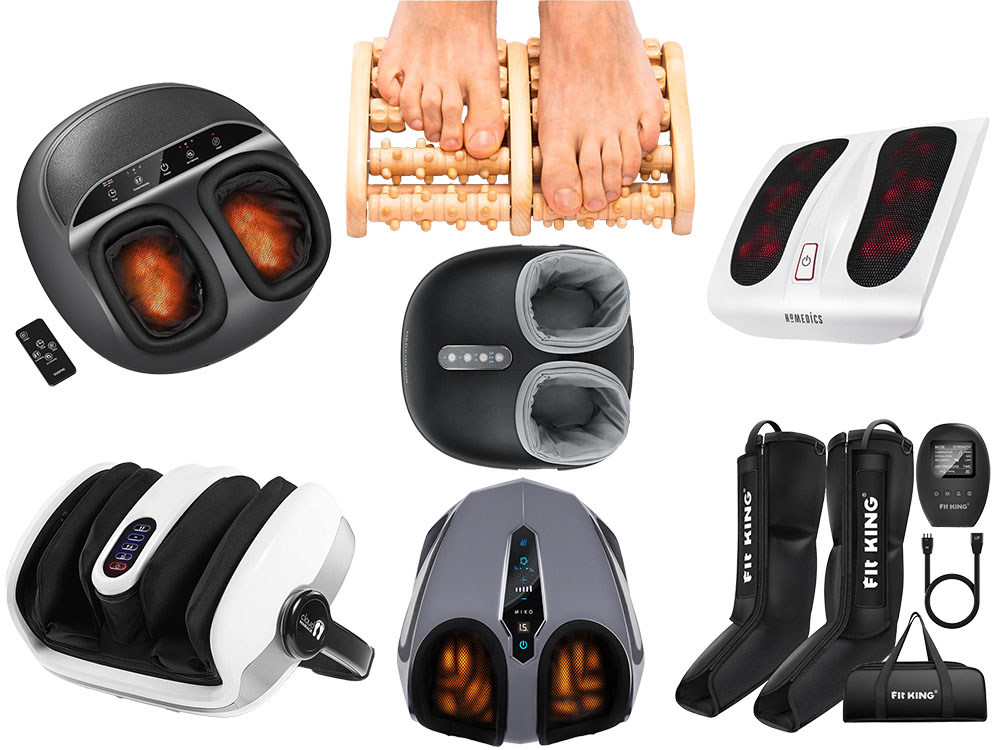
If you're switching between sitting, standing, and walking at your desk, your feet and lower legs often limit your endurance more than your cardio. A good anti-fatigue mat helps, but recovery and comfort tools can make a significant difference when you're spending more time than usual at your workstation.
If you feel heavy legs, swelling, or cold feet after long days at your desk, our guide to the best foot and leg circulation devices features popular home options such as compression, vibration, and EMS/TENS-style units, along with safe usage tips. And if your feet are simply sore or you're dealing with common issues like plantar fasciitis, our selection of the best foot massagers highlights which styles are ideal for deep kneading, air compression, heat, and everyday relaxation.
If your walking desk routine extends into actual outdoor miles, such as school runs, dog walks, hikes, or wet-weather commutes, keeping footwear dry becomes essential for consistency. Damp shoes and boots can quickly cause discomfort, odour, and early wear, especially if you wear the same pair every day. Our guide to the best boot dryers explains the main types (gentle air-dry, heated, moisture-absorbing) and how to dry footwear safely so it's ready for tomorrow without damaging materials like leather.

You lean forward and tense your shoulders to reach the keyboard.

Wrists bend awkwardly, and the neck tightens.
Accuracy and concentration decrease considerably.[8]
The screen shakes with every step, leading to eye strain.
Vibrations cause the wobble to increae over time.

I have used standing desks for quite a few years now, since I started having neck and arm pain while typing. For me, the standing desk and daily stretches have alleviated both of these over the years, so I'm well placed to know what does and doesn't work with standing desks. I take into account the factors below, as well as ease of construction and price, when assessing the desks.
Ergonomic range check: We verified the minimum and maximum usable desk heights for seated and standing work, including the effect of desktop thickness, and noted which range each suite (short/average/tall) suits. I also confirmed that the presets returned to the same height each time they were set.
Stability and wobble test: We assessed front-to-back rocking and side-to-side wobble at typical standing heights and near-maximum extension, repeating the checks with a monitor arm installed. I also tested all with my walking pad for stability.
Motor performance and noise: We measured lift time between sitting and standing presets and recorded noise during movement, including whether the sound was a low hum or a high whine.
Daily usability and walking desk compatibility: We observed assembly experience, cable management practicality, controller usability, anti-collision behaviour, and (where applicable) how the desk performed during slow walking while conducting typical tasks like email and document editing.
Quick self-check: Follow the 90-degree elbow rule. Stand on your walking pad in your usual work shoes. Let your arms hang loosely, then bend your elbows to about 90°. Your desk surface should be roughly at this elbow height (keyboard level), with your shoulders relaxed.
The general guidelines are that if you're shorter than approximately 5'4" / 163 cm
If you're average height (roughly 5'4"-6'0" / 163-183 cm)
If you're taller (roughly over 6'0" / 183 cm)

To ensure your investment endures for a long time, follow this routine:
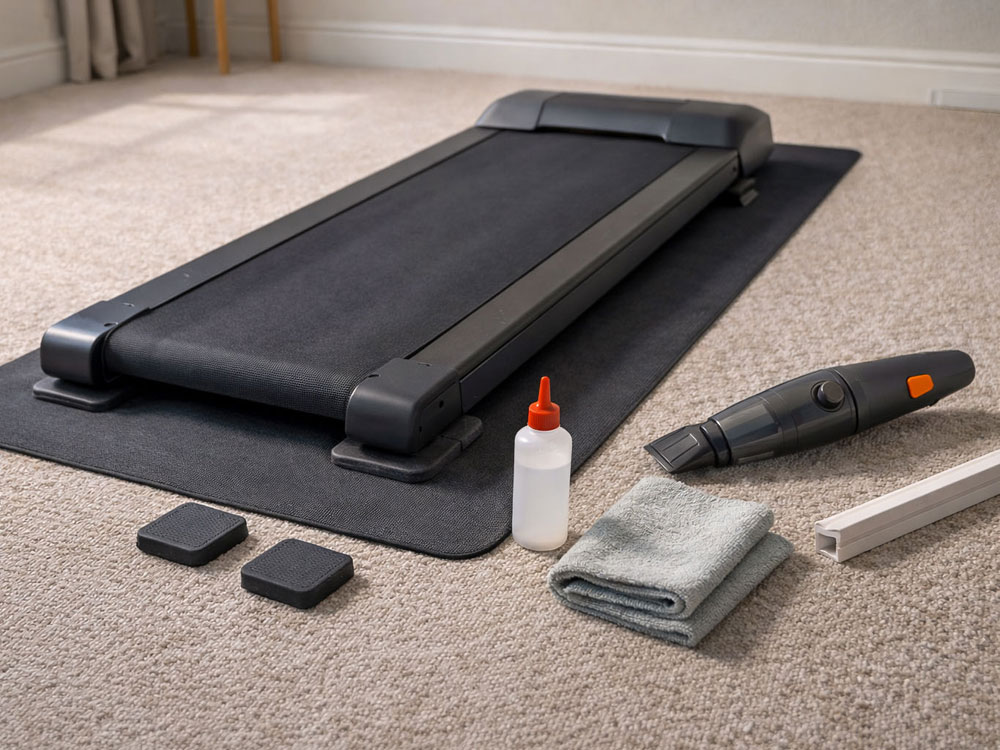
Weekly: Clean the desktop using a soft microfiber cloth and mild soap. Check for any cable tension when the equipment is at full height.
For the first few months: Re-tighten all frame bolts using the provided Allen key. Lifting vibrations can naturally loosen them. I find the bolts sometimes loosen more when used with a walking pad.
Monthly: Vacuum around the feet and lifting columns to prevent dust from entering the motor housing.
Lubrication: Apply a light coating of silicone spray to the inner lifting columns, a couple of times a year, or as often as the user manual recommends. If you are one of those who use WD-40 for everything, never use ordinary WD-40, as it can attract dust and create a grinding paste. Use whatever spray the manufacturer recommends. If they are silent on which to use, WD-40 does not make a silicone spray, which I use on my desk.
Respect the Duty Cycle: Most motors are rated for a '2 on, 18 off' duty cycle to prevent overheating.
A standing desk is the foundation, but the accessories are what make it comfortable, stable, and genuinely usable day after day (especially if you're also using a walking pad). Below are the add-ons that make the biggest real-world difference, and what to look for, so you can choose what suits your setup.

A good single-monitor arm is one of the best ROI upgrades: it allows you to position the screen at eye level, frees up desk space, and, importantly, can reduce monitor bounce by placing the screen closer to the support point.
What to look for before buying

The Invision MX450 is a gas-spring (pneumatic) single monitor arm for 24-40" VESA 75×75/100×100 monitors, rated for 2-15kg and offering full articulation (tilt +85°/-30°, 360° rotation, up to 650mm reach and 525mm elevation) with either C-clamp or grommet mounting, cable management covers, and a stated 2-year warranty plus 20,000 motion cycle testing.
If you use two screens, a dual arm keeps both monitors aligned at the same height and distance, which is great for neck comfort and workflow. For walking setups, it also helps you pull monitors slightly closer, so less eye strain and less perceived wobble. This is my setup, along with a laptop that serves as a third screen.
What to check before buying

The Invision MX900 is a heavy duty dual, gas assisted monitor arm for 24-35" VESA 75×75/100×100 screens, supporting monitors in the 2-15 kg range and offering wide adjustability (+85°/-30° tilt, 360° rotation, up to 320mm height travel and 630mm reach) with C-clamp or grommet mounting (20-90mm desk thickness) and a stated 2 year warranty (plus 20,000 cycle motion testing).
If you stand without a mat, your feet and calves are often the limiting factors. A good anti-fatigue mat reduces pressure points and encourages small micro-movements, which most people find more tolerable than standing still.
What to check before buying
For me, they always seem quite expensive for what you get, but they definitely do make a difference. Below, I've listed one of the more popular mats, followed by another that is a little cheaper.

The ComfiLife Anti Fatigue Floor Mat is a high-density foam standing mat designed for standing desks/kitchens, featuring a stain-resistant, wipe-clean surface and a non-slip base. It is available in many sizes and colours

The Ergodriven Topo Comfort Mat is a non-flat anti-fatigue standing desk mat made from polyurethane with a durable skin and 'calculated terrain' to encourage micro-movements and varied stances while you work.
Using a mat under a walking pad is one of the best upgrades, as it reduces vibration, noise transmission, and prevents the pad from slipping on smoother flooring.
What to look for before buying

The ProsourceFit Exercise Equipment & Treadmill Mat is a floor protector made from slip-resistant PVC and 5/32" (4mm) thick, designed to safeguard carpets and hard floors while reducing vibration and noise from treadmills and other cardio machines. It offers floor protection, durability, and lays flat for ease of use, all while being easy to clean.
Cable trays keep power bricks and extensions off the floor, reduce snag hazards when the desk rises, and make a walking desk feel finished instead of chaotic.
What to check before buying
There are so many different styles, lengths and colours available, it is difficult to suggest just one, so have a look for yourself, and see which under-desk cable tray works best for you.
These handle the last 10% that makes a setup look clean: hiding slack, bundling groups of cables, and keeping an extension block safer around pets/kids.
What to check before buying

The D-Line Large Cable Tidy Box is a UK-produced, electrically safe ABS cable-management box (safety tested and certified to BS EN 60670-22:2006). It comes in two sizes and is available in black, white, or white with a wood-effect lid. It features rear cable slots, designed to conceal a typical 6-gang extension block and to minimise trip or spill hazards.


The Alex Tech Split Loom Cable Sleeve is a polyethylene woven split sleeve that self-closes around bundled cables for tidier runs and protection against pet chewing. It is available in black or white and comes in various lengths.
If your desk cannot be lowered enough, a keyboard tray can make the difference between 'standing desk hurts my shoulders' and 'this feels natural'. It positions the keyboard and mouse lower, keeping elbows near 90° and shoulders relaxed. These do help and lower your hands while typing, but for me, I always feel a bit too far from the desk, so getting the standing desk height right from the start is essential.
What to check before buying


The VIVO MOUNT‑KB05E is a clamp‑on, pull‑out under‑desk keyboard tray with alloy‑steel C‑clamps/tracks, rated for up to 5kg/11lb, sliding out 21.6 cm from the edge of the desk and sitting about 2.0" to 2.75" below the desktop, depending upon desk thickness. Besides lowering the keyboard, it also frees up some desk space.
If you walk and use a monitor arm: pull the monitor slightly closer than you do when seated. It often feels more stable and reduces the urge to crane your neck.
Clamp mounts and spliced desktops: if your desktop has a centre seam, clamp the arm as close as possible to a solid edge or brace point (or consider grommet mounting).
Cable slack rule for sit-stand and walking pads: leave enough slack at maximum height so nothing pulls tight, but route the loop to prevent it from snagging on lifting legs.
Mat pairing works best: an anti-fatigue mat at your standing spot, and a treadmill mat under the walking pad (different jobs, both very useful).
The standing desk is no longer a luxury gadget; it forms the backbone of a modern, health-conscious workspace. In 2026, the evidence is clear: switching positions every 30 to 60 minutes is the most effective way to manage musculoskeletal pain, stabilise blood sugar, and sustain high levels of cognitive focus throughout the day.[1] [2] [5] [6] [9] [13] [15] [19] [29] [30]
While budget models like the ErGear or SANODESK offer an accessible entry point, those working full-time from home should prioritise stability and long-term motor reliability. Investing in a dual-motor, 3-stage system such as the Desktronic HomePro or MAIDeSITe TH2 Pro Plus pays off with consistent performance, stability and support for active walking pads. By matching your desk to your height and setup needs, and maintaining it with a simple quarterly checklist, you aren't just buying furniture; you're creating a 'forever resource' for your long-term health and professional sustainability.
Happy standing (and walking)!
Shop the Walks4all Amazon kit list
We've grouped some of the products mentioned in this article into our Amazon Storefront for convenience. As an Amazon Associate, we earn from qualifying purchases at no additional cost to you.
Experts recommend accumulating 2 to 4 hours of standing or light activity each day, gradually increasing in 15-minute segments.[15]
Follow the 90-degree elbow rule: position the desk so your forearms are parallel to the floor and your shoulders remain relaxed.
Yes, for most users. Dual motors carry more weight, lift quicker, and are generally more stable than single-motor models.
An anti-fatigue mat helps reduce foot fatigue and promotes micro-movements while standing.
Yes, under supervision and provided the desk has a Child Lock feature on the controller to prevent accidental operation.
Ensure all assembly bolts are tight, use a one-piece desktop for stability, and check that levelling feet are perfectly even. 3-stage legs generally provide more stability when fully extended.
If you want a versatile choice, opt for a stable dual-motor desk (or frame) with a broad height range and a reliable warranty - these are the features that matter most on a daily basis. For example, try the dual-motor, 3-stage systems such as the Desktronic HomePro or MAIDeSITe TH2 Pro Plus frame.
A practical goal is to change position every 30-60 minutes - short, frequent shifts generally feel more comfortable than long periods of standing.
They can assist if your setup is correct and you switch positions. A standing desk set at the wrong height can increase neck and back strain.
Standing burns only a little more energy than sitting. For a significant extra calorie burn, combine the desk with light walking during appropriate tasks.
For most people, slow walking is the ideal pace for typing-heavy work. If accuracy declines, slow down and save faster walking for calls or reading.
March 2026