By using this website, you agree to our use of cookies (needed to provide our website’s features) and our Terms of Use.
By: Andrew Forrest - May 2026
Learn how to set up a walking pad with a standing desk, including desk height, monitor position, speeds, cable safety, mats and routines.
This page contains affiliate links. As an Amazon Associate, we earn from qualifying Amazon purchases at no additional cost to you. We may also earn commissions from other retailers, again at no additional cost to you.
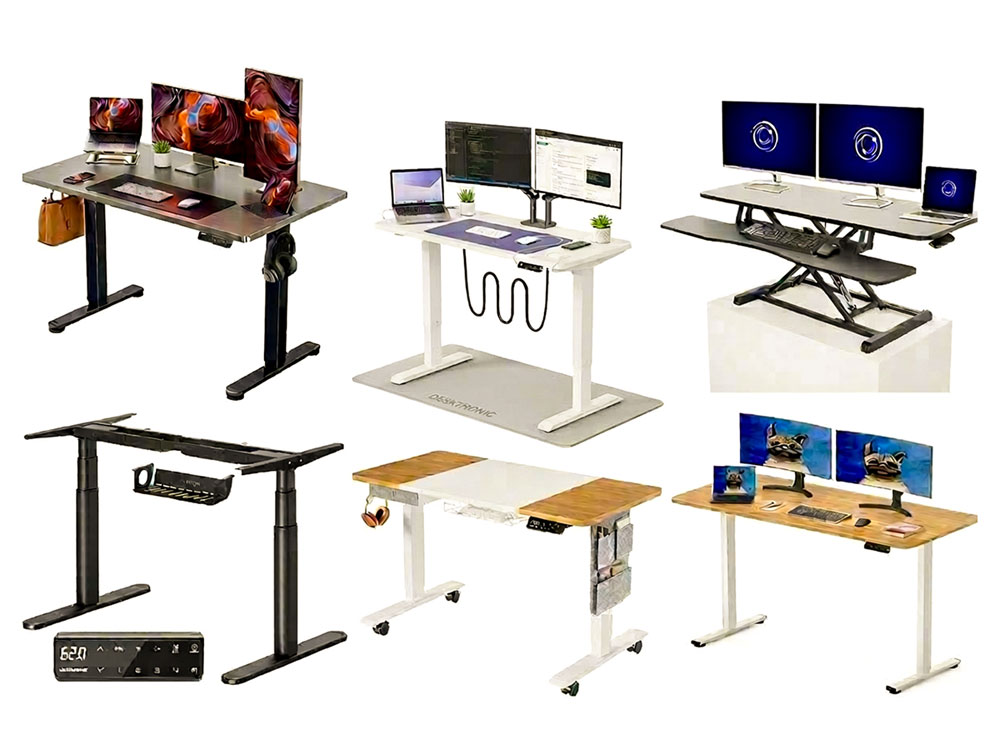
A walking pad and standing desk can turn your home office into a more active workstation, but the setup matters more than most people realise. A walking pad is not just something you slide under a desk and hope for the best. Your desk height, monitor position, keyboard angle, floor surface, walking speed and work routine all affect how comfortable and effective the setup is.
The goal is not to walk all day quickly or to replace proper exercise. It is to reduce long periods of sitting by adding light movement to suitable parts of your workday. This matters because health guidance says that all physical activity counts, that any amount is better than none, and that all age groups should limit sedentary time.[1]
Walking pads are also known as treadmill desks, under-desk treadmills, or active workstations. The same basic principles apply to all of them when used with standing desks, where the best setup is stable, quiet, easy to adjust, and comfortable enough for regular use.
Health & Wellbeing Disclaimer
The information in this article is intended for general educational and wellbeing purposes. It discusses walking pads, under-desk treadmills, standing desks, sitting time, light movement, and related health and safety considerations, drawing on published research and public health guidance, primarily for generally healthy adults.
A walking pad or standing desk may not be suitable for everyone. If you have a medical condition affecting balance, circulation, joints, or mobility (such as significant musculoskeletal problems, varicose vein complications, circulatory disorders, dizziness, or reduced balance), or if prolonged standing or walking causes pain, dizziness, breathlessness, discomfort, or unsteadiness, you should consult your GP, physiotherapist, or another qualified healthcare professional before making significant changes to your work setup or daily movement patterns.
This article does not provide medical advice and should not replace professional healthcare. Individual responses to sitting, standing, and walking vary. Always adjust your workstation gradually, prioritise comfort and regular movement, follow your walking pad manufacturer's safety instructions, keep cables and step-off areas clear, and seek professional advice if you experience persistent or concerning symptoms.
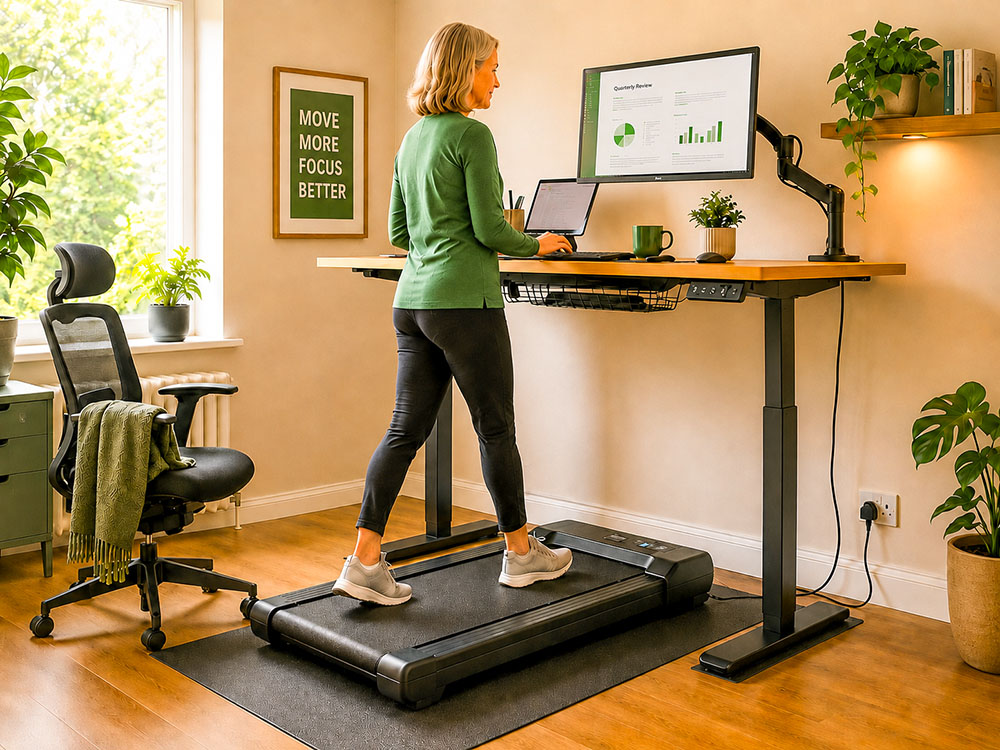
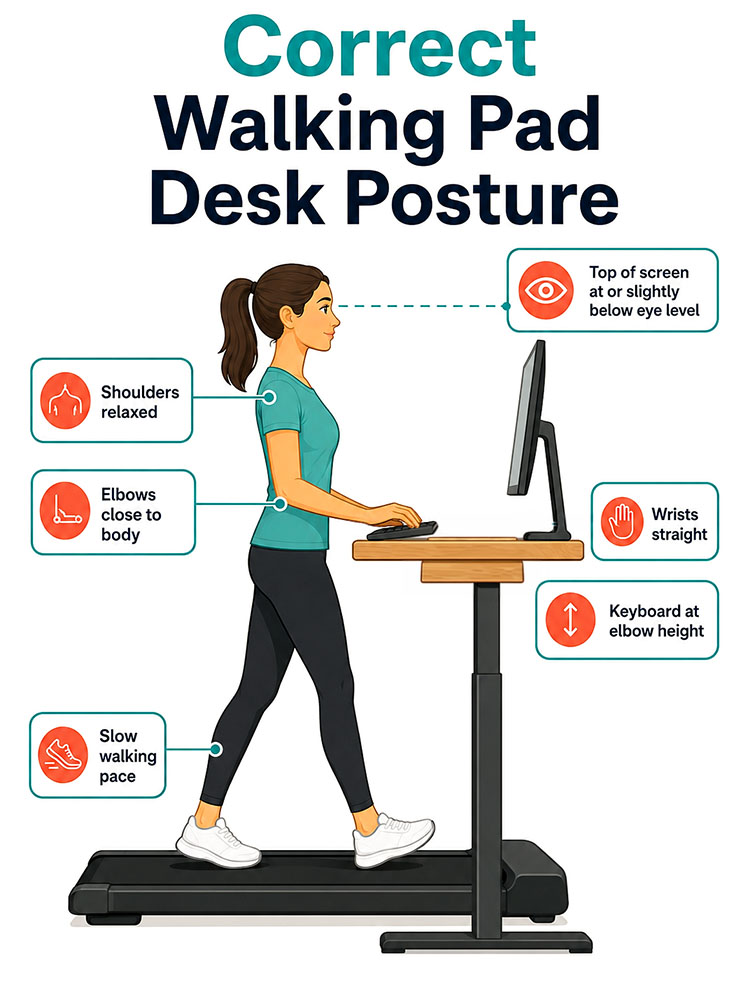
To set up a walking pad with a standing desk, place the walking pad directly under the centre of your desk, raise the desk to elbow height while standing on the walking pad, position your monitor so the top of the screen is at or slightly below eye level, keep your keyboard and mouse close enough to keep your wrists straight, and start walking slowly at around 0.5 to 1.0 mph until you adapt.
A good walking pad desk setup should allow you to:
The most common mistake is setting the desk to normal standing height while forgetting that the walking pad raises your body several inches off the floor.
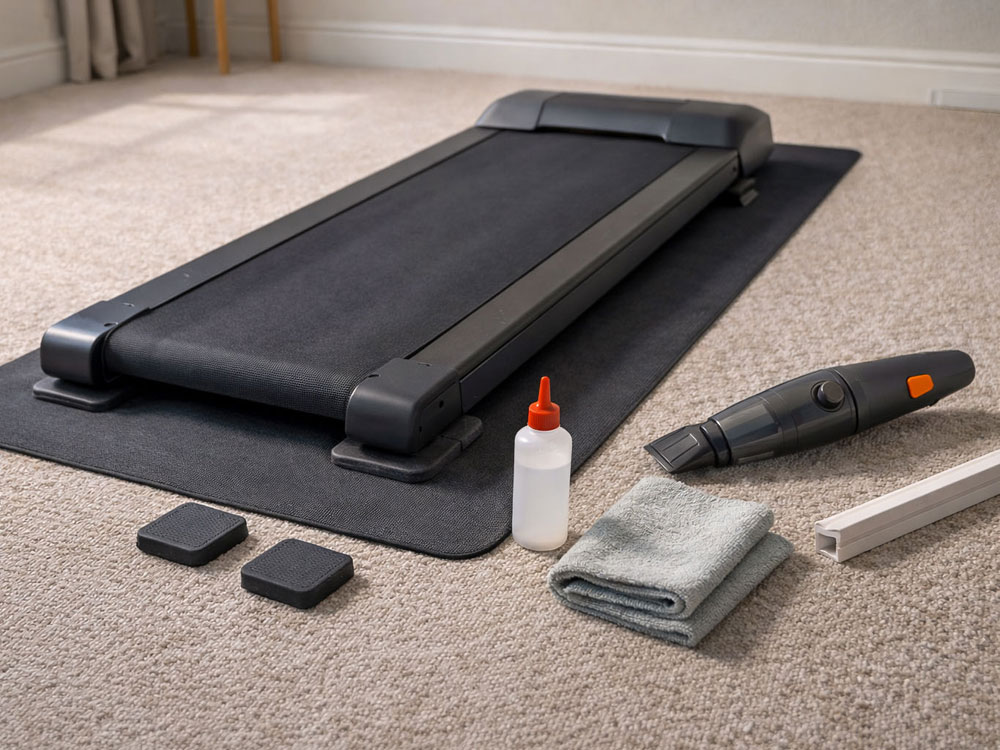
You do not need a complicated setup, but you do need a few essentials. At a minimum, you need:
The most useful optional accessories are a walking pad mat, a monitor arm, a cable tray, supportive indoor shoes, and a nearby chair or stool for sit-stand-walk rotation.
If you are setting up a regular home-working station in the UK, the HSE display screen equipment workstation checklist can also help you think through risks related to keyboard, mouse, screen, furniture, and the work environment.[3]
Before placing the walking pad under your desk, check the desk's maximum height. This is especially important if you are tall or if your walking pad has a thick deck.
Here is a simple rule:
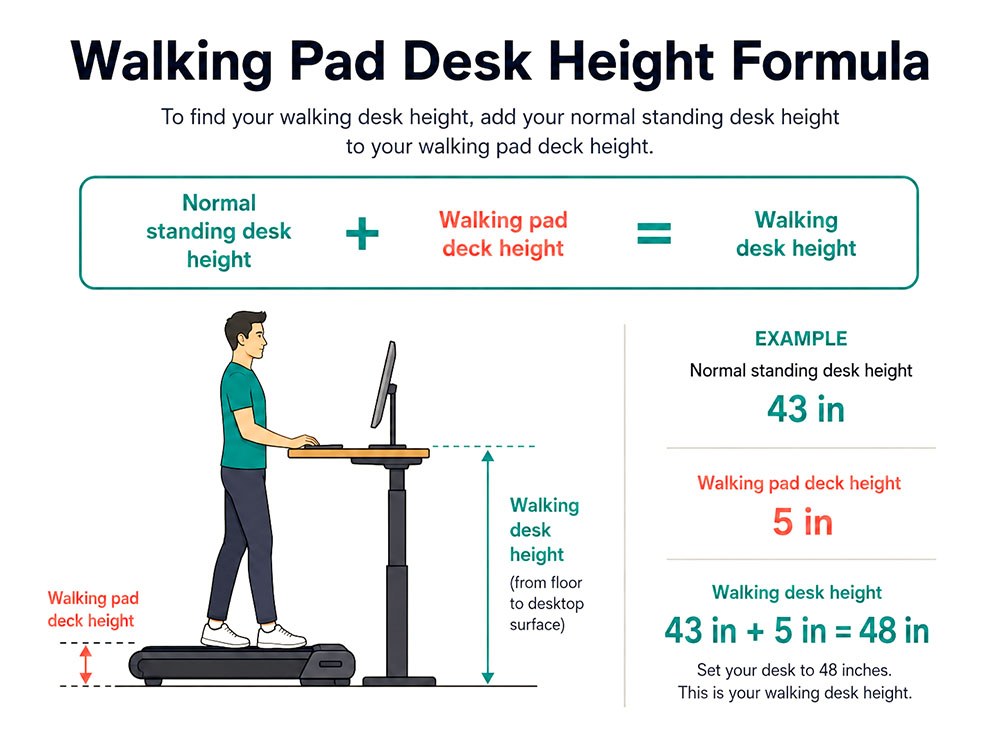
Walking desk height = normal standing desk height + walking pad deck height
For example, if your standing desk keyboard height is normally 43 inches (109 cm) and your walking pad deck is 5 inches (13 cm) high, your desk may need to be around 48 inches (122 cm) high for comfortable typing while walking.
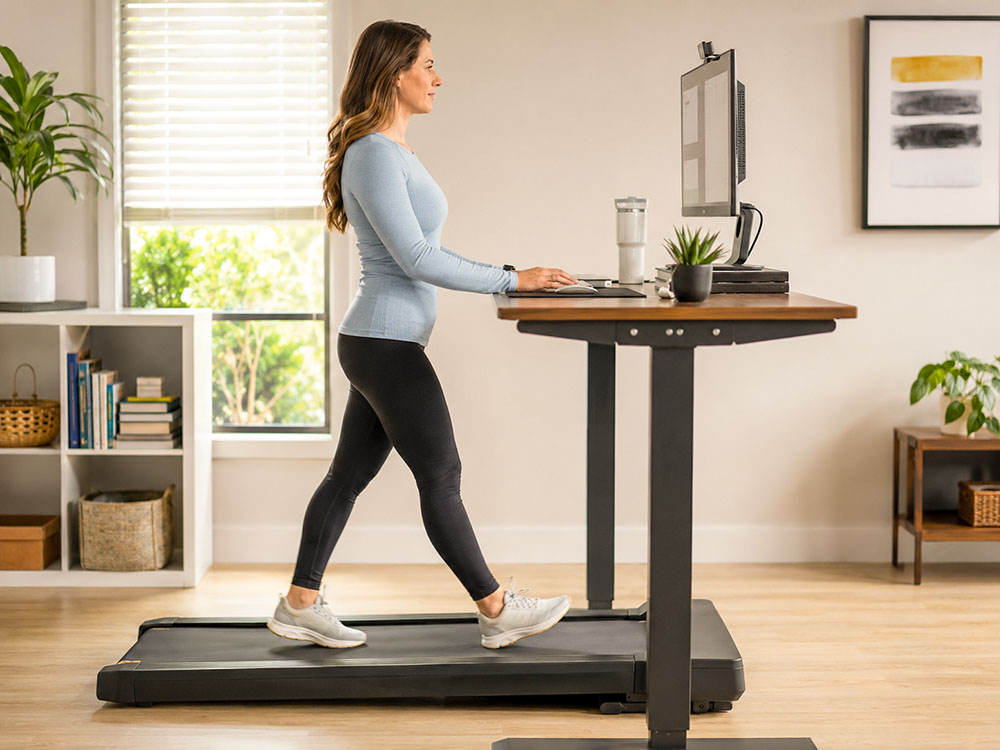
Your desk should not be set based on where your eyes are. It should be set based on where your hands naturally fall. UK Health and Safety Executive (HSE) guidance for display screen equipment places the keyboard just below elbow height, with relaxed shoulders and the screen and keyboard centred.[2]
To find your starting height, stand on the walking pad with it switched off. Let your arms hang naturally. Bend your elbows to a comfortable typing position. Raise or lower the desk until your keyboard and mouse are at or just below elbow height.
Slide the walking pad under the desk so the belt is centred with your keyboard, monitor and body. You should not need to twist your hips, turn your shoulders or reach diagonally to type.
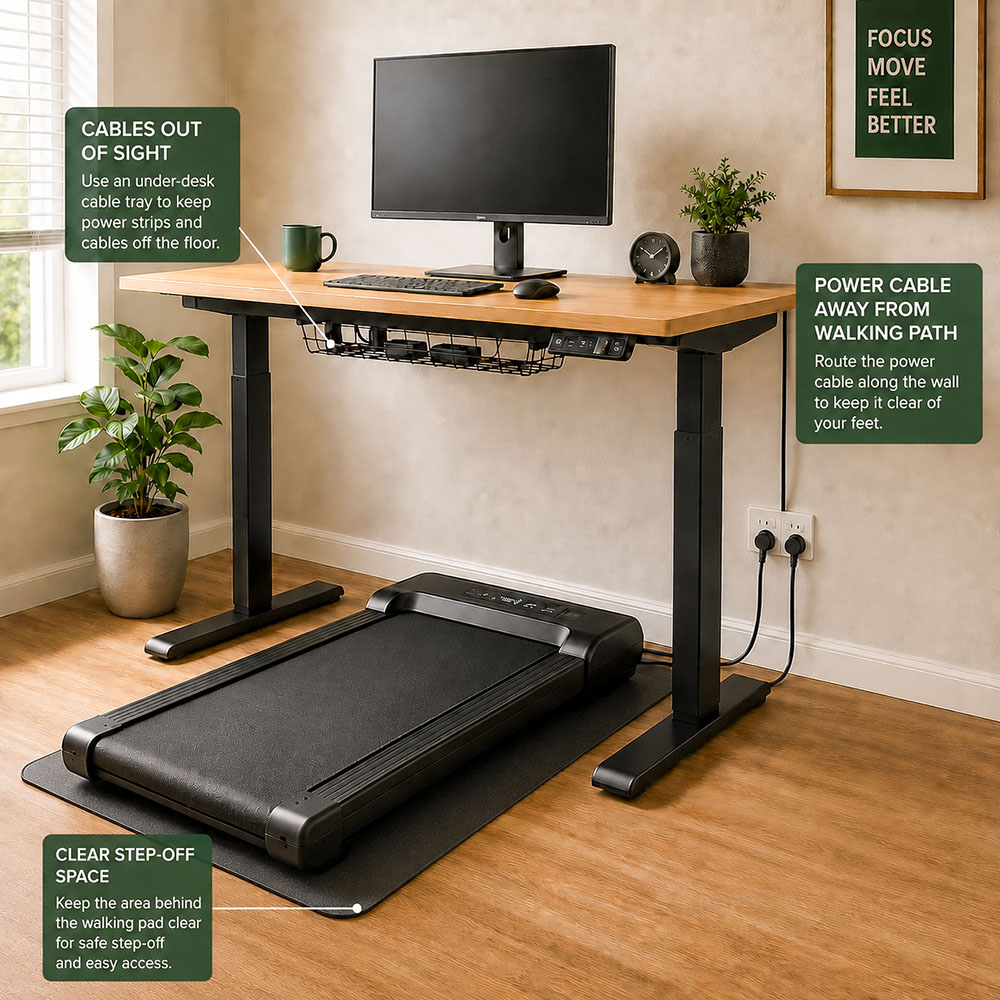
Leave enough space behind the walking pad so you can step off safely. Keep the front of the walking pad clear as well, especially if the motor housing is raised. Avoid placing the walking pad too close to a wall, cabinet or storage unit where you cannot recover your balance if you misstep.
Ensure the power cable runs clear of your feet. A cable crossing the walking surface or the area where you step on and off is a trip hazard. Use an under-desk cable tray, adhesive cable clips or a low-profile floor cord cover to keep cables out of the walking path. For UK homes, use properly fitted plug sockets and avoid trailing extension leads across the floor.
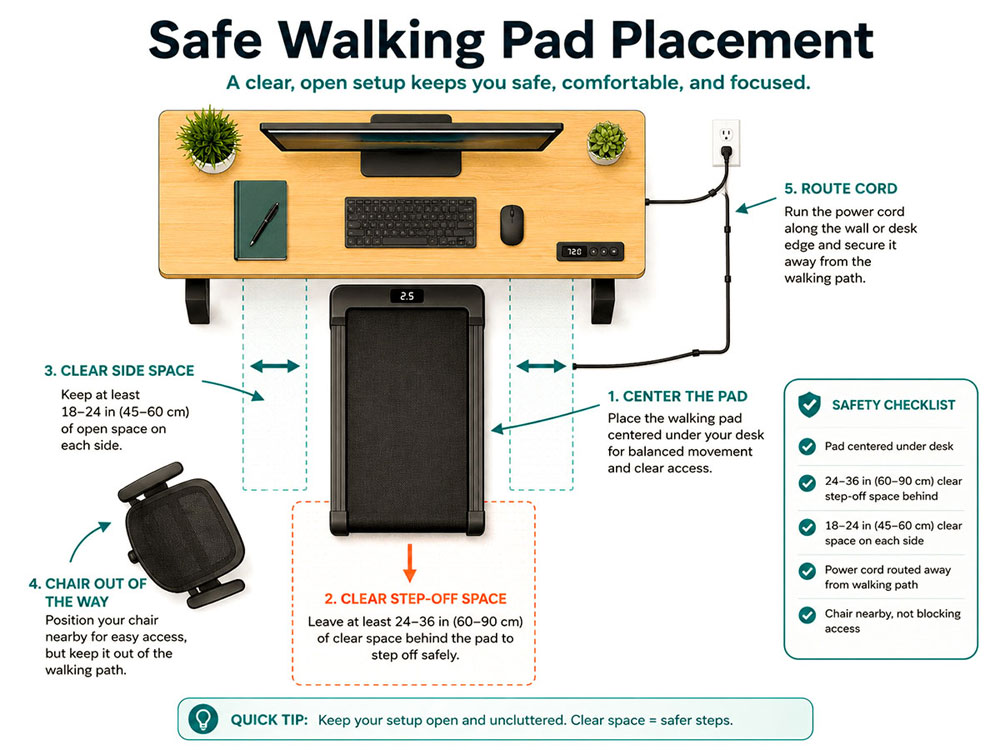
Before switching the walking pad on, stand still on the belt and practise stepping off to the rear and to the side. This quick check helps you confirm that the desk legs, chair, wall, cables and furniture are not obstructing your exit route.
Your keyboard and mouse should be the top ergonomic priority. Many people focus on the monitor first, but if the desk is too high or too low for your hands, your wrists, shoulders and neck will feel it quickly.
A comfortable keyboard setup should look like this:
HSE guidance recommends relaxed shoulders, a keyboard at or just below elbow height, the mouse in line with the elbow, and the screen and keyboard centred.[2] Mayo Clinic offers similar office ergonomics advice: keep wrists and forearms in line, shoulders relaxed, the mouse within easy reach, wrists straight, upper arms close to the body, and hands at or slightly below elbow level.[4]
If your desk is too high, you may end up shrugging your shoulders. If it is too low, you may bend your wrists or hunch forward. Both problems become more noticeable when you are walking, as your body is already in motion.
Once your desk is at the correct height for typing, adjust your screen separately. A monitor arm or laptop stand can be very helpful here.
For display screen equipment, HSE guidance recommends that the top of the screen be level with your eyes, about an arm's length away, with the computer and screen directly in front of you. It also recommends using a separate keyboard and mouse for prolonged laptop use so the screen can be elevated.[2]
For a walking pad desk setup, this usually means the following:
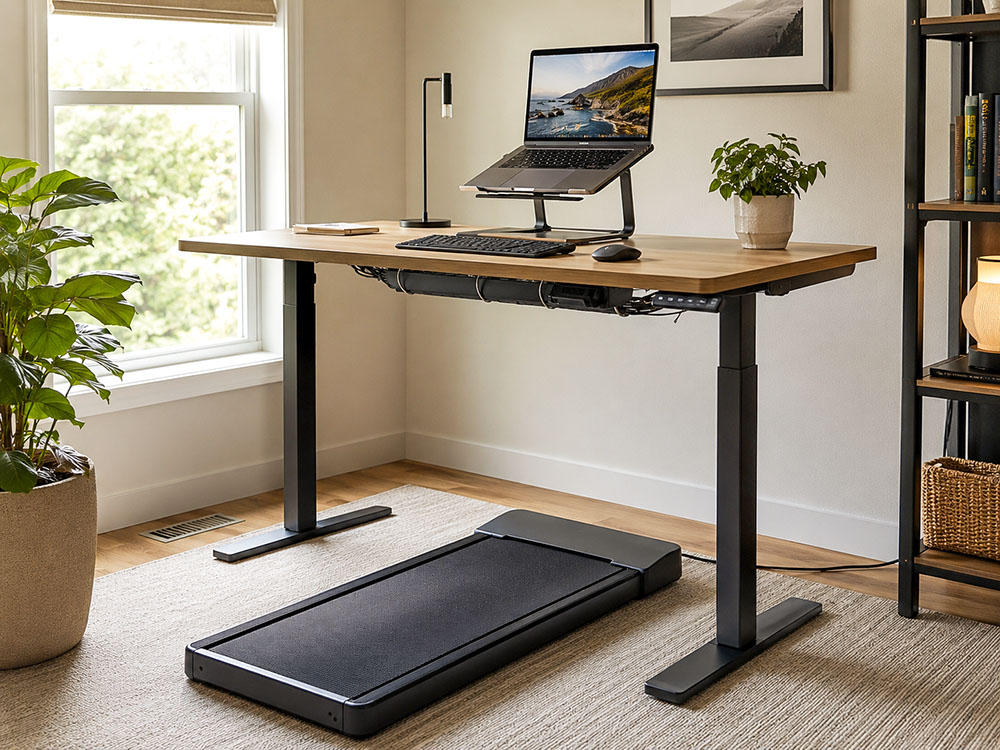
A laptop-only setup is one of the weakest configurations for a walking pad because the keyboard and screen are connected. If the laptop is low enough for your hands, the screen is too low for your neck. If the screen is high enough for your eyes, the keyboard is too high for your wrists.
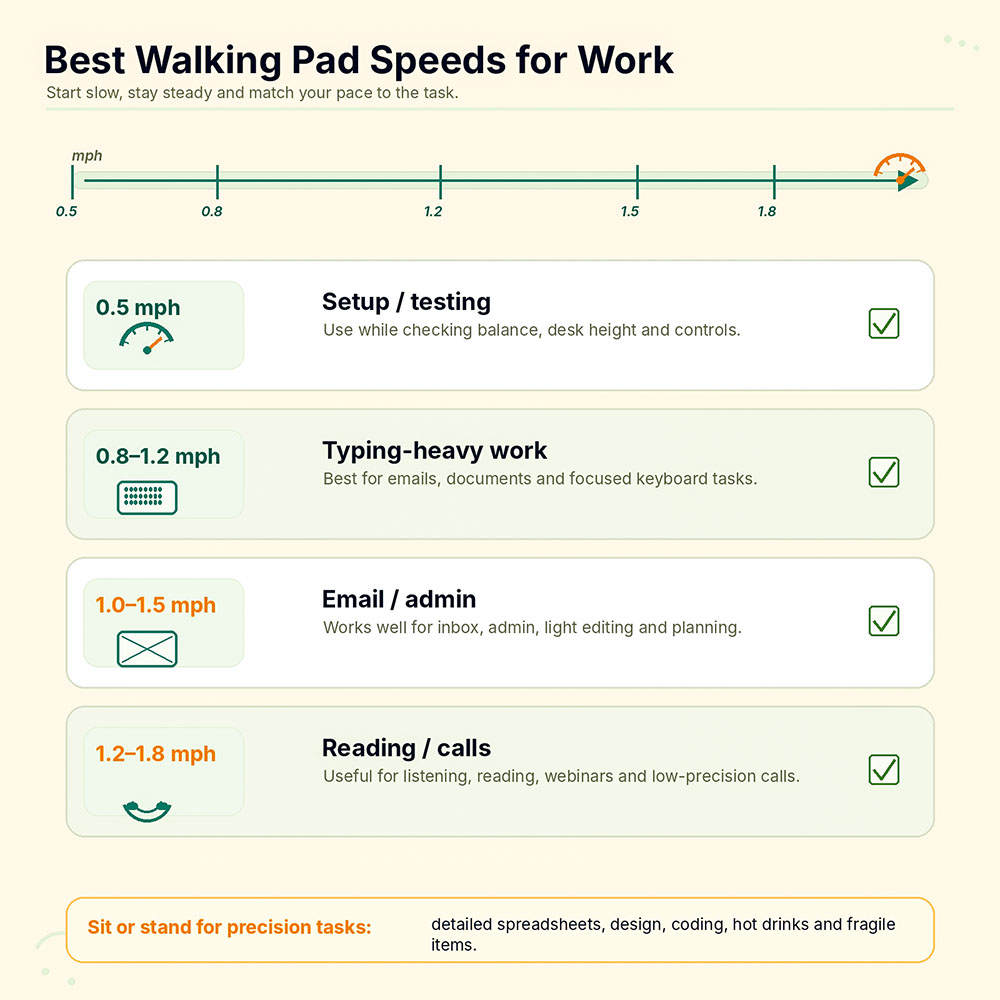
The optimal walking pad speed for work is usually much slower than a normal outdoor walking pace. For most people, a practical starting range is 0.5 to 1.0 mph. Once you are comfortable, many desk tasks feel manageable at 1.0 to 1.5 mph.
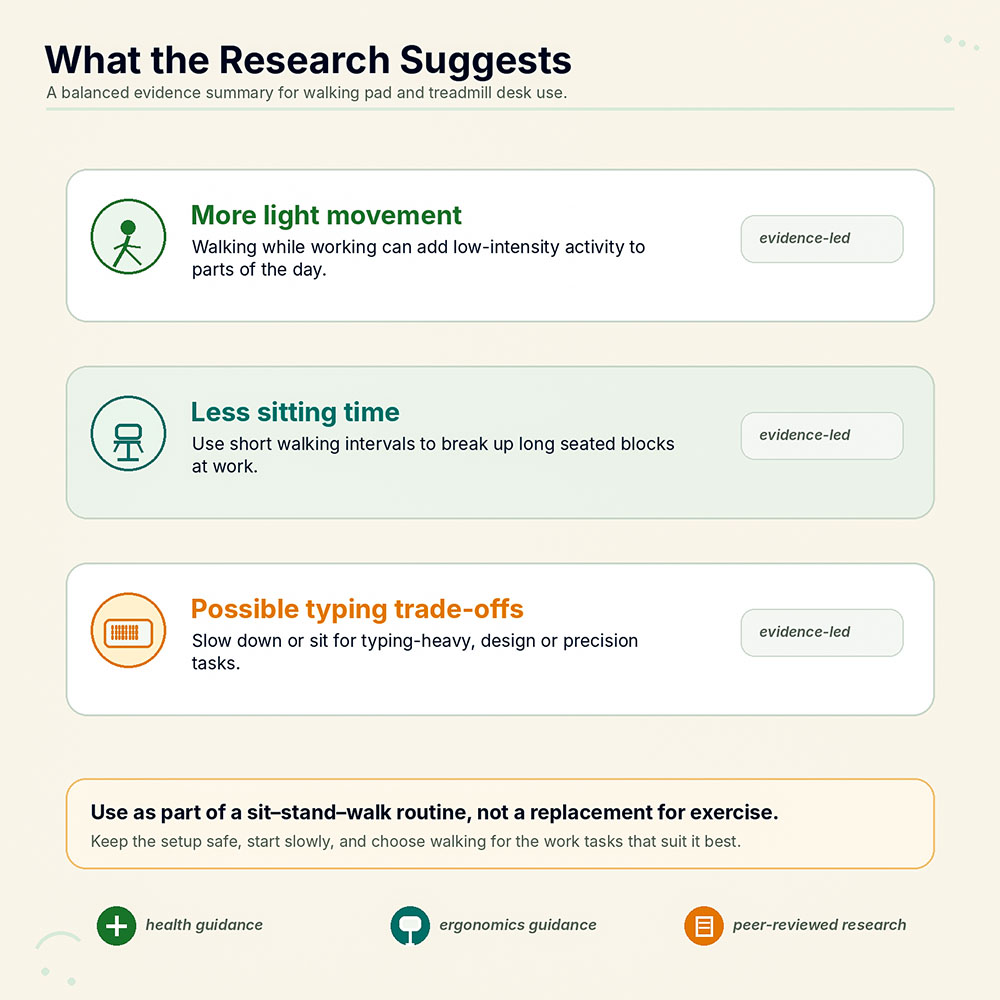
Controlled walking speed matters because research on working while walking yields mixed results. In a study of 75 healthy adults, participants walking at 1.5 mph showed modest declines in some learning and typing measures compared with sitting, although the researchers noted that the physical activity benefits may still outweigh those declines for many people.[5]
Another study found that slow treadmill walking at 1.5 mph did not significantly impair performance on cognitive control tasks, including response inhibition and conflict adaptation.[6] A 2024 active-workstation trial also found that neurocognitive performance improved or remained stable, while typing speed slowed only slightly.[7]
A simple speed guide:
| Work task | Suggested speed |
| First-time setup and testing | 0.5 mph |
| Typing-heavy work | 0.8-1.2 mph |
| Email and admin tasks | 1.0-1.5 mph |
| Reading, webinars and light calls | 1.2-1.8 mph |
| Deep focus, design, spreadsheets and precision work | Sit or stand instead |
You may eventually prefer different speeds, but do not start at high speed. A walking pad is for low-intensity movement while working, not for running under a desk.
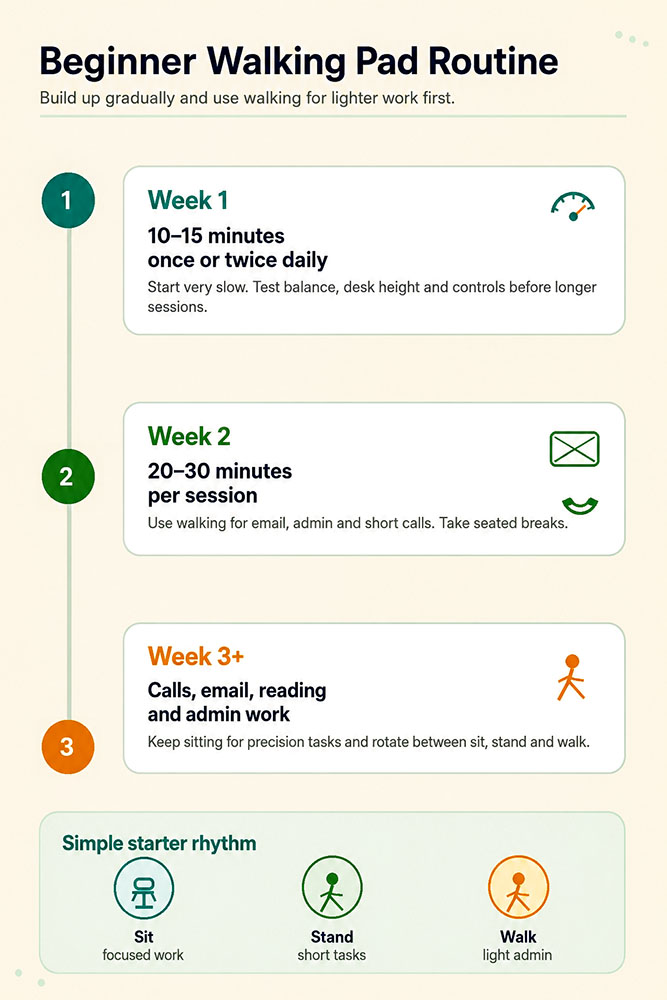
A walking pad works best when it is part of a rotation, not when it replaces every other position. Sitting all day is not ideal, but standing still all day is not the solution either.
A large 2024 study using UK Biobank wearable data found that standing time was not linked to lower cardiovascular disease risk, but was linked to higher orthostatic circulatory disease risk. The same paper reported that sitting time exceeding 10 hours per day was associated with both higher risk of orthostatic circulatory disease risk and a higher risk of cardiovascular disease.[8]
That is why the best routine is simple: sit for focused work, stand for short tasks, and walk for light-to-moderate work. A 2023 network meta-analysis of 23 randomised trials found that active workstation interventions, particularly when paired with reminders or promotion, can reduce work-specific sedentary time, although the overall certainty of the evidence was low.[11]
A beginner's routine could look like this:
You do not need to walk for hours to benefit from the setup. Consistency and safe movement breaks matter more than trying to complete every task.
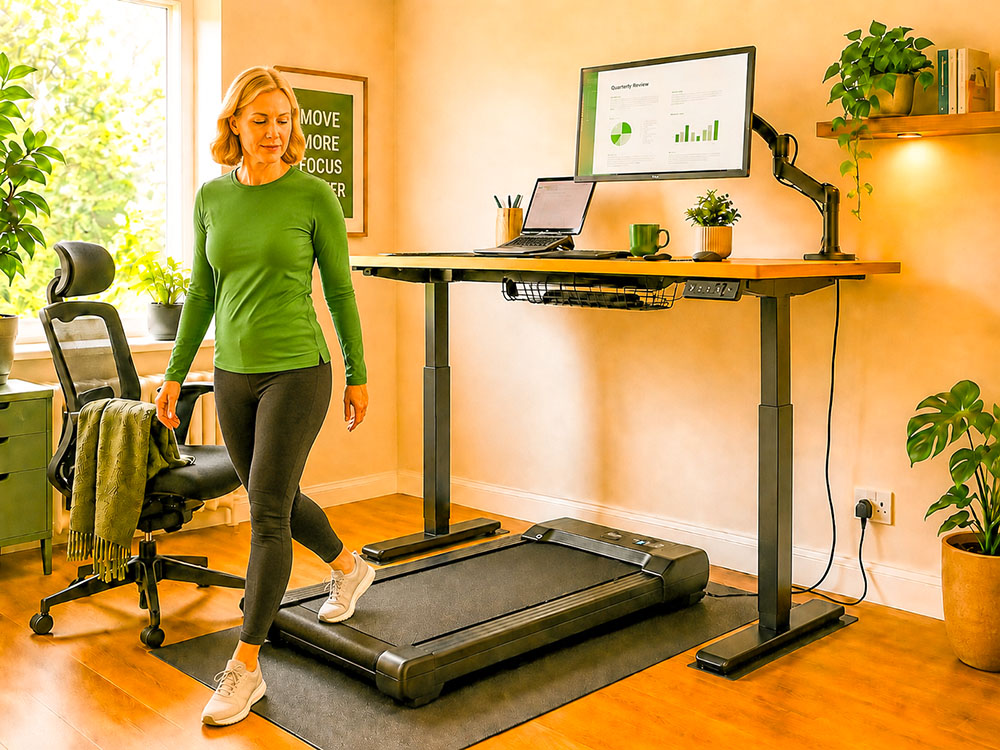
A walking pad mat is not always essential, but it is often useful. It can help protect floors, reduce vibration, improve stability, and make the setup easier to clean.
On wood, tile or laminate, use a treadmill-style mat that lies flat and grips the floor. On carpet, the suitability depends on the walking pad and carpet thickness. A very plush carpet can make some walking pads feel unstable or reduce airflow around the motor. A firm mat or a low-profile board under the walking pad can help create a flatter surface.
Before using any mat, consult your walking pad manual. Some manufacturers provide specific recommendations for floor type, ventilation and mat use.
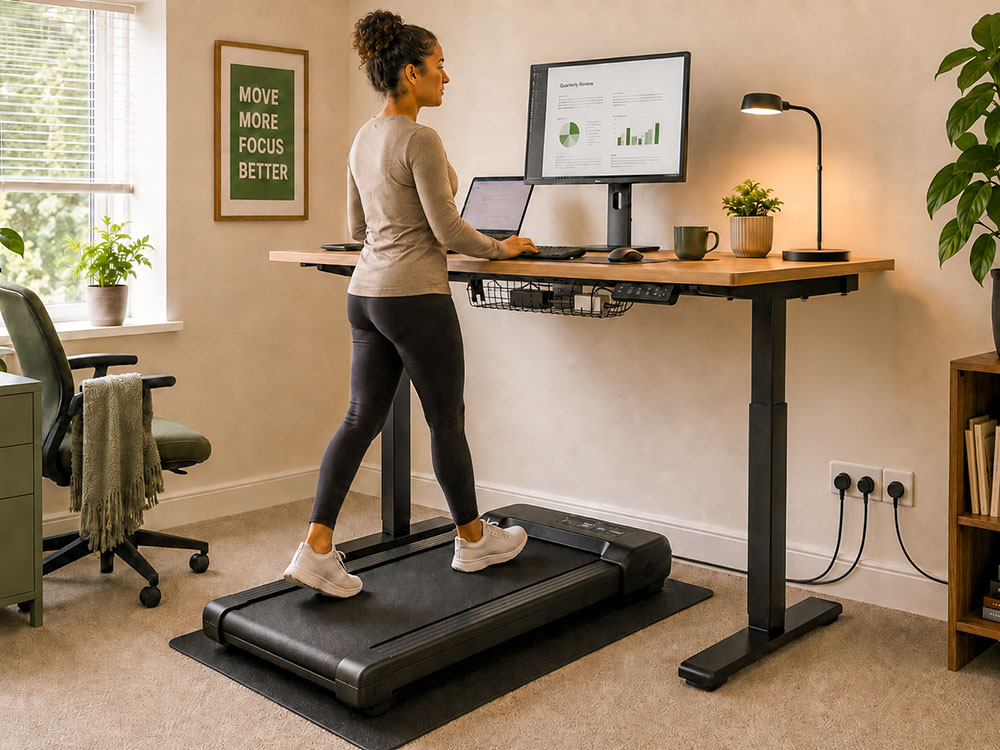
A walking pad setup requires more floor discipline than a regular standing desk. Shoes, bags, pet toys, power packs, loose cables and clutter can pose safety risks.
Keep these areas clear:
Also, keep drinks away from the edge of the desk. A spill is annoying at a normal desk, but it is worse if you are standing on a moving belt. For cable safety, the ideal setup is a tidy under-desk cable tray, plug sockets close to the desk, and no loose cables crossing the belt or your step-off space.
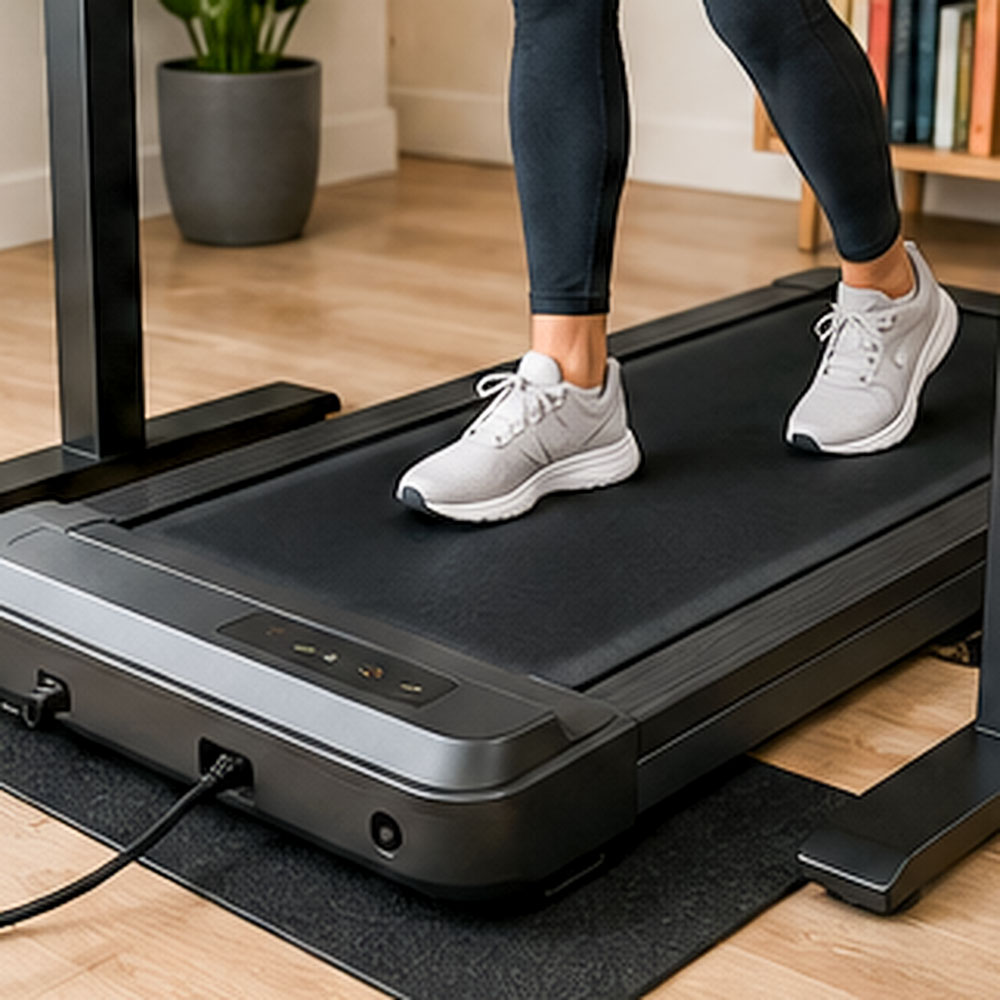
Some people prefer walking pad shoes; others prefer socks or walking barefoot. The safest choice depends on your walking pad surface, foot comfort and balance. If you wear socks, be very careful, as they are prone to slipping.
For longer sessions, supportive indoor shoes are usually more comfortable. Look for lightweight shoes with clean soles, adequate cushioning and a stable heel. Avoid loose slippers, thick slides or anything that could catch on the belt.
If you walk barefoot or in socks, start with very short sessions. Some walking pad belts can feel warm, textured, or irritating after a while.
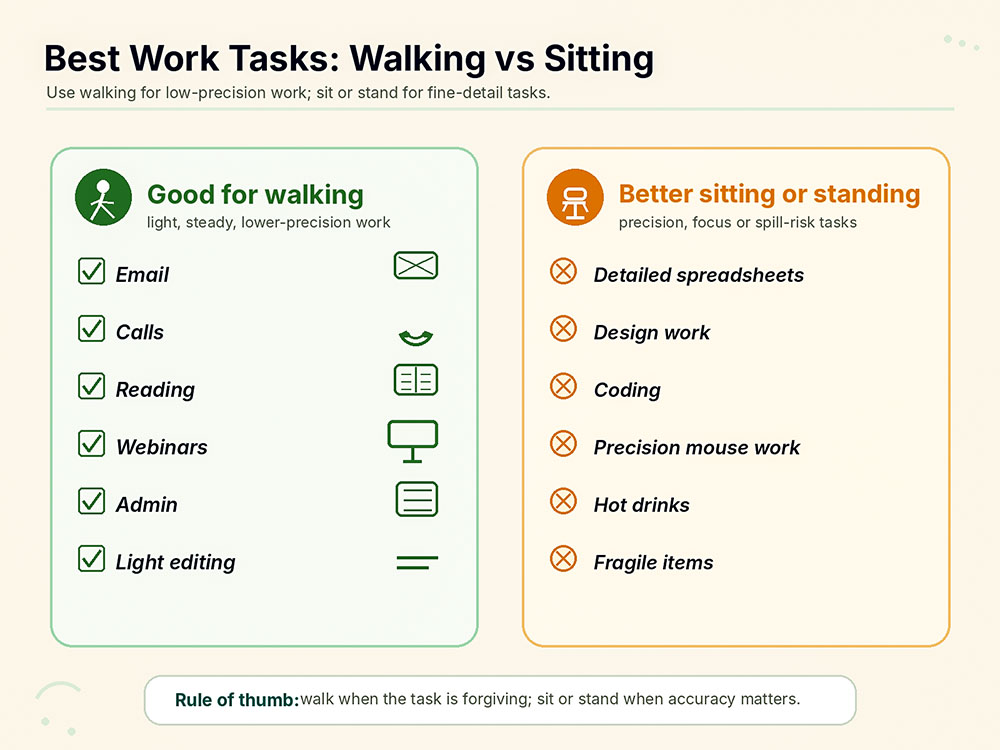
A walking pad is excellent for some tasks and distracting for others. You will use it more consistently if you match it to the right tasks.
Best tasks for walking:
Better tasks for sitting or standing:
The research reflects this split. Treadmill-desk studies tend to show that slow walking can be compatible with many cognitive tasks, but typing, fine motor control, and some learning tasks may be affected.[5] [6]
Remember that the walking pad raises your body. If you set the desk to the floor height, the keyboard will be too low once you step onto the belt.
A laptop-only setup usually forces your neck or wrists into a poor position. Use a laptop stand with an external keyboard and mouse.
Faster is not better for work. If your typing becomes sloppy or your shoulders tense, slow down.
A standing desk is best when it helps you change position. It should not become eight hours of static standing.
If your monitor is too low, you may bend your neck downward for extended periods. Raise the screen after you set the desk height for your hands.
A walking pad should not replace sitting. Keep a chair nearby so you can rotate between sitting, standing and walking.
Power cables, power packs and loose data cables should not be left where your feet land or where you step off the walking pad. Route cables through a tray, clips or a cord cover before your first proper session.
The evidence is very promising, but it is not perfect, although there are many benefits to using a standing desk.
A small 2007 study found that walking and working at a self-selected speed of about 1.1 mph increased average energy expenditure from 72 kcal per hour while seated to 191 kcal per hour while walking and working.[10]
A 2021 systematic review and meta-analysis of treadmill desks found that they increased energy expenditure and metabolic rate while reducing sitting time. However, the authors also noted that more long-term research is needed to understand broader cardiometabolic effects.[9]
A 2023 network meta-analysis of active workstation interventions found that treadmill workstations with promotion, sit-stand workstations with promotion, sit-stand workstations, and multicomponent interventions were effective in reducing occupational sedentary time compared with typical desks. However, the authors rated the overall certainty of the evidence as low.[11]
A 2024 randomised clinical trial on active workstations found that cognitive performance improved or remained stable when people used standing, stepping and walking workstations, and that typing accuracy was unaffected, though typing speed slowed slightly.[7]
A 2023 cluster-randomised trial also showed that treadmill and sit-stand desk interventions can change waking physical behaviour patterns in different ways, supporting a focus on adherence, routine and transitions rather than equipment alone.[12]
A 2015 systematic review concluded that standing and treadmill desks may help reduce workplace sedentary time, while noting evidence gaps and potential trade-offs in work performance, particularly with treadmill desk use.[13] Cochrane also found low-quality evidence that sit-stand desks reduce workplace sitting in the short- and medium-term.[14]
The UK SMArT Work trial found that a sit-stand desk intervention reduced sitting time across short, medium, and long follow-up periods, with positive work-related and psychological changes.[15]
Key takeaway
A walking pad standing desk setup can be useful for adding light activity and reducing sitting time, but it should be used as part of a broader
movement routine. It is not a replacement for outdoor walking, structured exercise, strength training or medical advice.
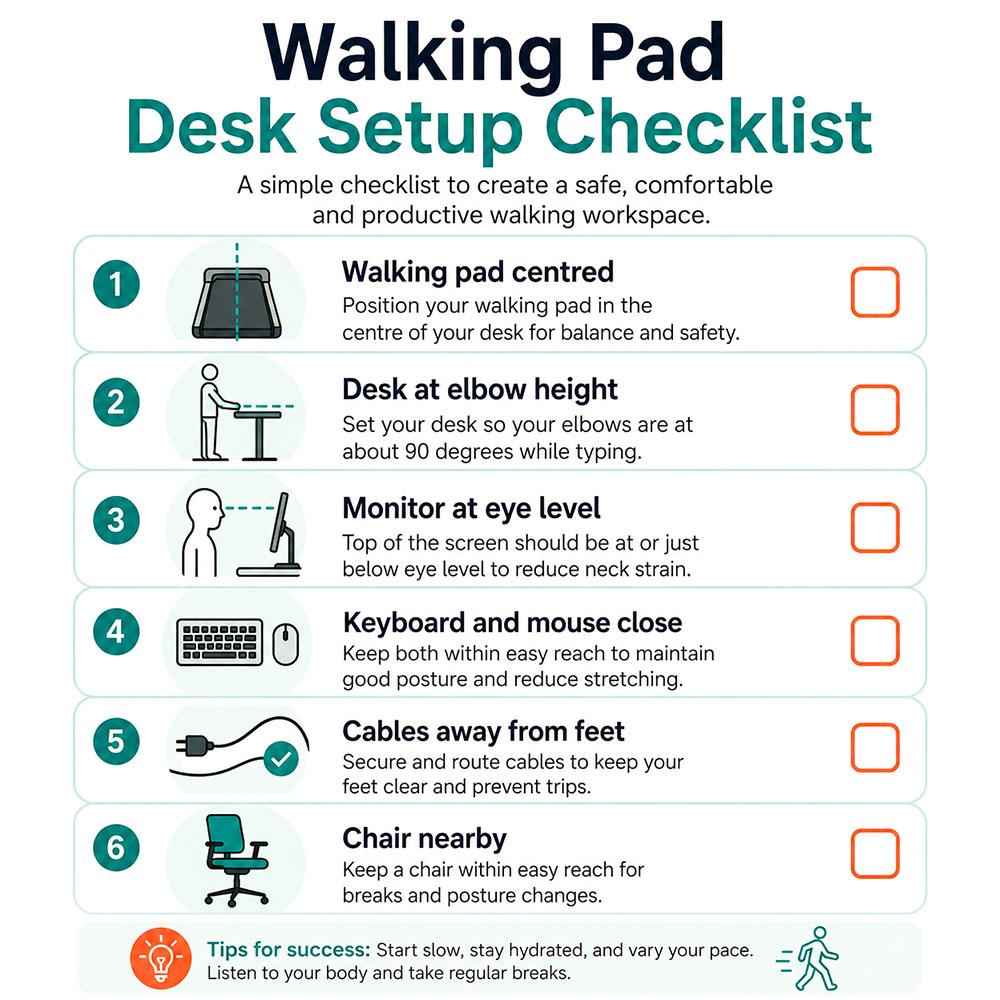
Use this checklist before your first full work session:
The best walking pad standing desk setup is neither the fastest nor the most expensive. It is the one that lets you work comfortably while introducing realistic movement into your day.
Start with ergonomics: desk at elbow height, screen at eye level, keyboard and mouse within reach, chair nearby, and cables out of the way. Then start slowly. Use the walking pad for easy tasks first, build up over time, and keep rotating between sitting, standing and walking.
A walking pad can make your workday more active, but the real benefit comes from consistency. Make the setup comfortable, safe and easy to use, and you are much more likely to keep using it.
Not always. The desk needs to be raised high enough to accommodate both your height and the height of the walking pad deck. It should also be stable at higher settings, especially with large monitors.
Most people should start between 0.5 and 1.0 mph. For typing, many users settle between 0.8 and 1.2 mph. For calls, reading and light admin work, 1.2 to 1.8 mph may feel comfortable once you adapt.
No. A walking pad is best used in intervals. Rotate between sitting, standing and walking rather than walking or standing for the entire day.
A mat is a good idea if you want to protect your floor, reduce vibration, or improve stability. It is especially useful on hard floors and may help on some carpeted surfaces, provided the mat does not make the walking pad unstable.
They solve different problems. A standing desk helps you change your posture. A walking pad adds light movement. The best setup uses both while still allowing you to sit when needed.
It depends on the walking pad and the carpet's thickness. A very plush carpet can make the unit less stable or restrict airflow. Check the manufacturer's guidance and consider a firm mat if the walking pad rocks or sinks into the carpet.
Keep power cables away from the belt and step-off area. Use a nearby plug socket, a cable tray under the desk, clips along the wall or desk leg, and a low-profile floor cord cover only where a cable must cross the floor.
May 2026